![logo_blue (1).png]](https://knowledge.easytranslate.com/hs-fs/hubfs/logo_blue%20(1).png?height=30&name=logo_blue%20(1).png)
How to use the price limit filter
You can access the price limit settings under
Settings -> Finances -> Price limit
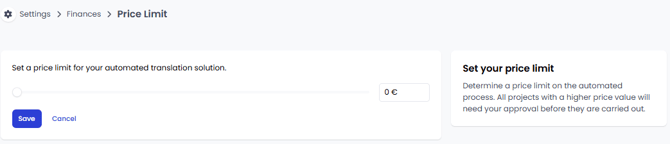
If you want to increase the level of project automation you can use the price limit filter to determine a price threshold. Simply set a price limit and all projects that have a lower value will start automatically without the need for manual price approval.
If the project value exceeds the defined price limit you will be prompted to confirm the price manually on the platform before the processing can start.
The maximum threshold value is € 5000. If you set the limit to € 0, which is also the default setting, each project must be approved before it moves to the translation stage.
Remember to press save when you have selected your new limit.