.png?height=120&name=logo_blue%20(1).png)
How we handle chats
We currently have 3 types of chat: LaaS chat from within the LaaS app, EasyOrder chat from within the EasyOrder flow and the Websiote chat, which comes in from our website.
Website Chat
Website chats are diverse and can be initiated by existing clients, potential clients and suppliers alike. It is an important sales funnel, when potential clients contact us via the chat.
Potential clients: when potential clients come in, we identify their needs, ensure we have the required contact details and establish a connection with a sales rep that can reach out to the client to take the further dialogue.
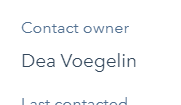
ALL new contacts that come in via this chat flow have a contact in Hubspot (existing or newly created upon starting the chat). After finishing the chat, the support agent needs to assign a relevant "Contact Owner" in Hubspot to avoid the contact getting lost. If it is a new sales lead (potential customer), the owner needs to be the relevant Sales rep. If it is a supplier, the contact owner needs to be VM (Nicklas). Etc.
Under the contact in Hubspot., please change the contents of the "Contact Owner" field to the relevant person: