.png?height=120&name=logo_blue%20(1).png)
A short explanation on how to add the given Custom MT engine to the client's Machine translation engine
Go to Memsource > Settings > Machine translation engines 
Select "Create" within the Machine translation engines 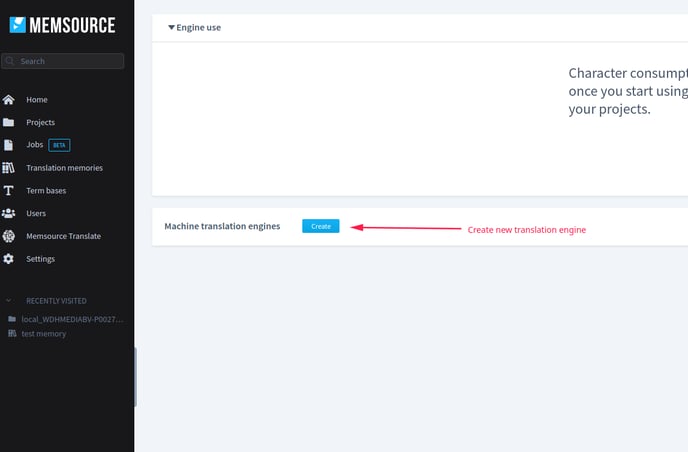
Then, select google AutoML
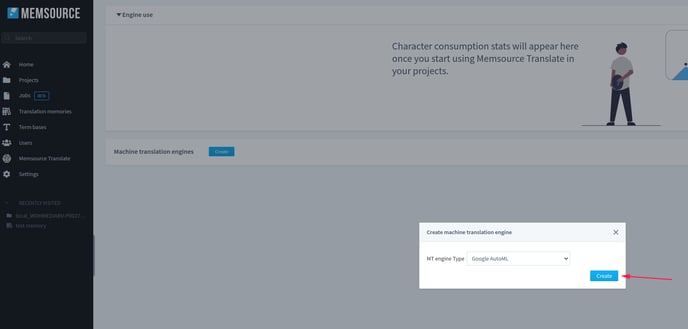
Then, fill out the necessary fields, you'll find the correct keys in the hubspot ticket.
The file which you have to upload, you need to get either from the Technical Product Supporter, or from the Junior Product Manager. Click save. 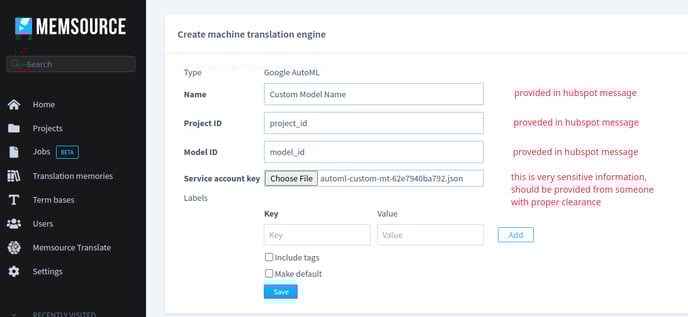
Go to project templates, and click on the given template 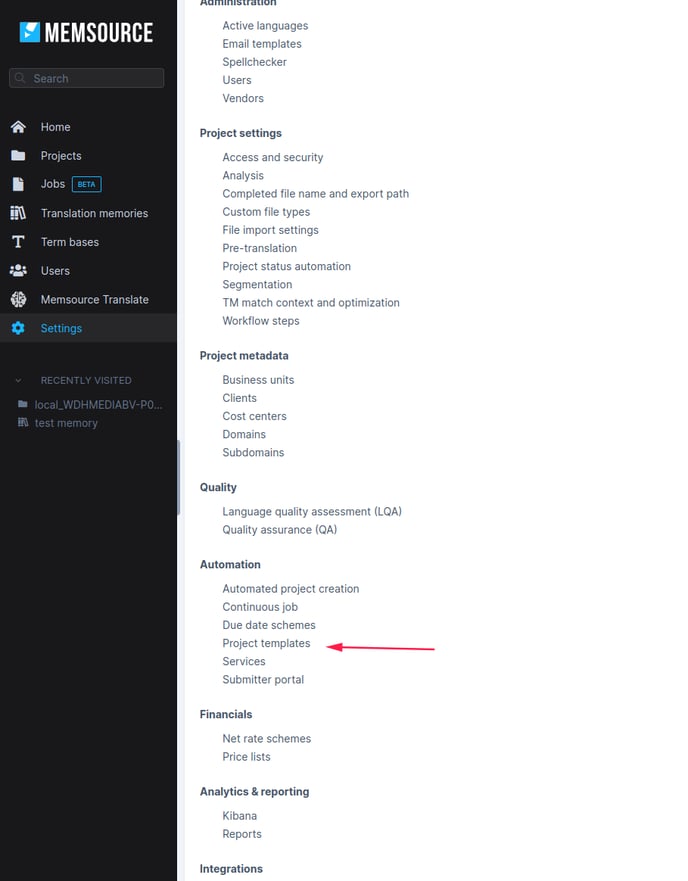
Scroll down to the settings, then click Machine translation engine, then change. 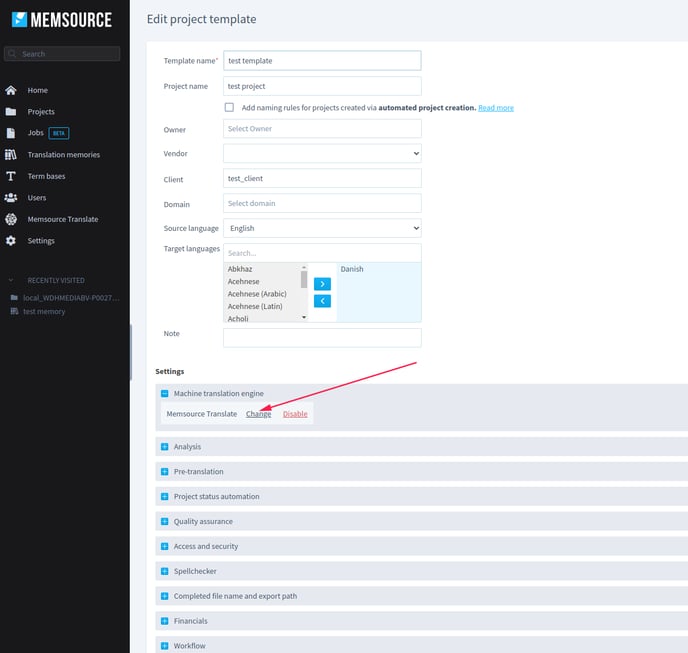
Then, select the Google autoML engine 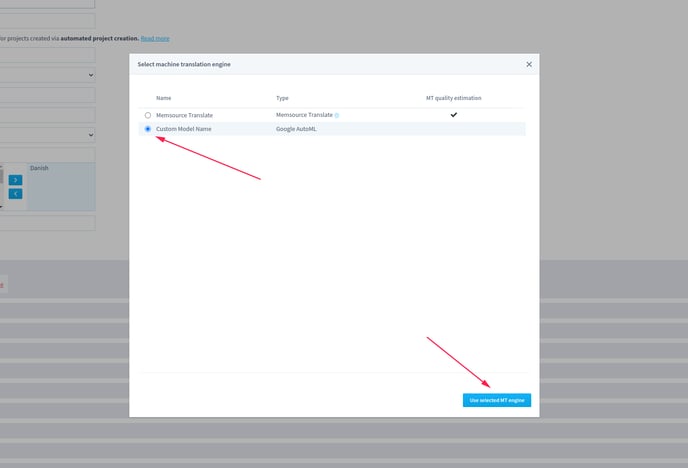
Once this is done, make sure to inform the client that the engine is now up and running for the language(s) they trained it with.
NB (!!!!)
Only do all of the above to the language(s) that the engine was trained on, as this might affect other languages if you don't. .png?width=529&name=image%20(52).png)