.png?height=120&name=logo_blue%20(1).png)
Steps to go through every week/day to ensure we keep a clean Hubspot.
The Support team
Every day go through all unassigned contacts and tidy up, including:
* IF contact is NOT "customer type = Service", assign correct user (Sales, Finance, VM etc.)
- IF you are unsure if a contact is a sales lead, please flag to Sales for clarification
--> Set other properties, see below "IF contact is supplier/customer" etc.
Everyone
EVERY week before you go on weekend (typically on Fridays), go through your own contacts and make sure the below is set correctly. Filter for newly created contacts, so you only check them once.
Go under Contacts->Contacts and select ‘My contacts’. Filter for creation date to see new ones you haven’t checked yet.
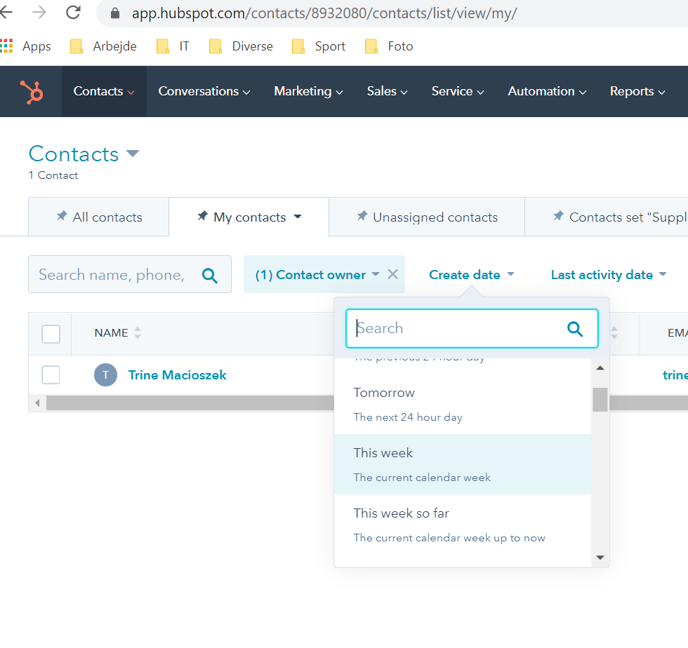
On the contacts, please ensure the following:
IF contact is a supplier:
Supplier property = Yes
Life cycle stage = Other
Owner = Melissa Reichardt
IF contact is a customer
Change lifecycle stage to “Customer” -> Sales
Set Owner = the responsible AM. If you don’t know, set Leopold
--> On all contacts, update information: names, emails etc. so it appears right
Chat
As we get suppliers and clients in on chat we risk creating messy data; some contacts will not figure out to write their name when the bot asks for their name, instead they’ll write their question. This then creates a contact with a very long name.
→ Therefore, can you please ensure the contact information on the associated contact (automatically created) is updated with correct name/mail as you chat with these people.